Alex Morgan Northline⌁
Catch the introduction.
Scan paper cards, a whole stack, or a QR code. Check the details and keep the people behind them.
 Card Catch
BUSINESS CARD SCANNER FOR IPHONE
Turn a stack of business cards into your next conversation. Scan, remember, and follow up — all from your iPhone.
Coming soon to the App Store · No account needed.
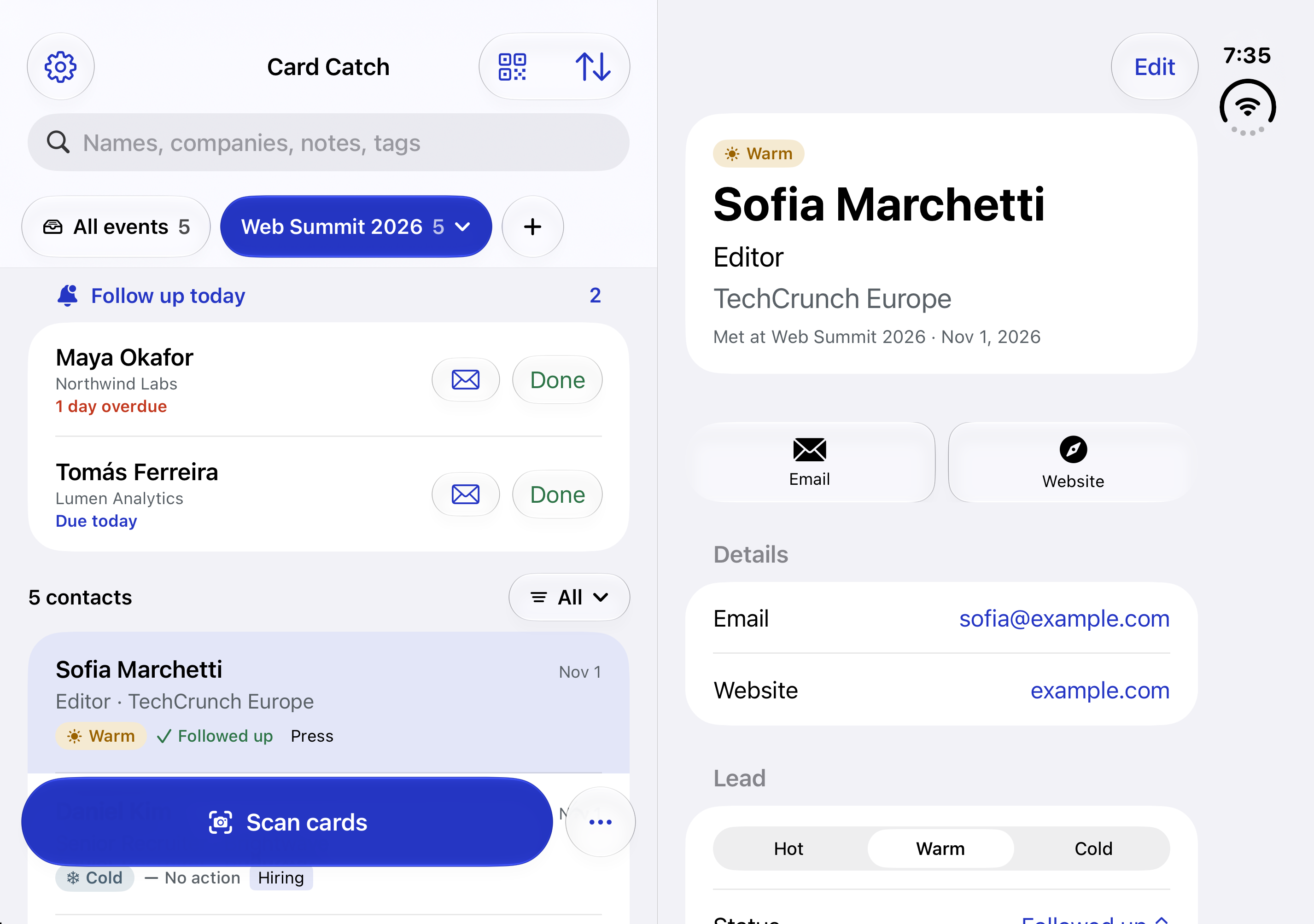
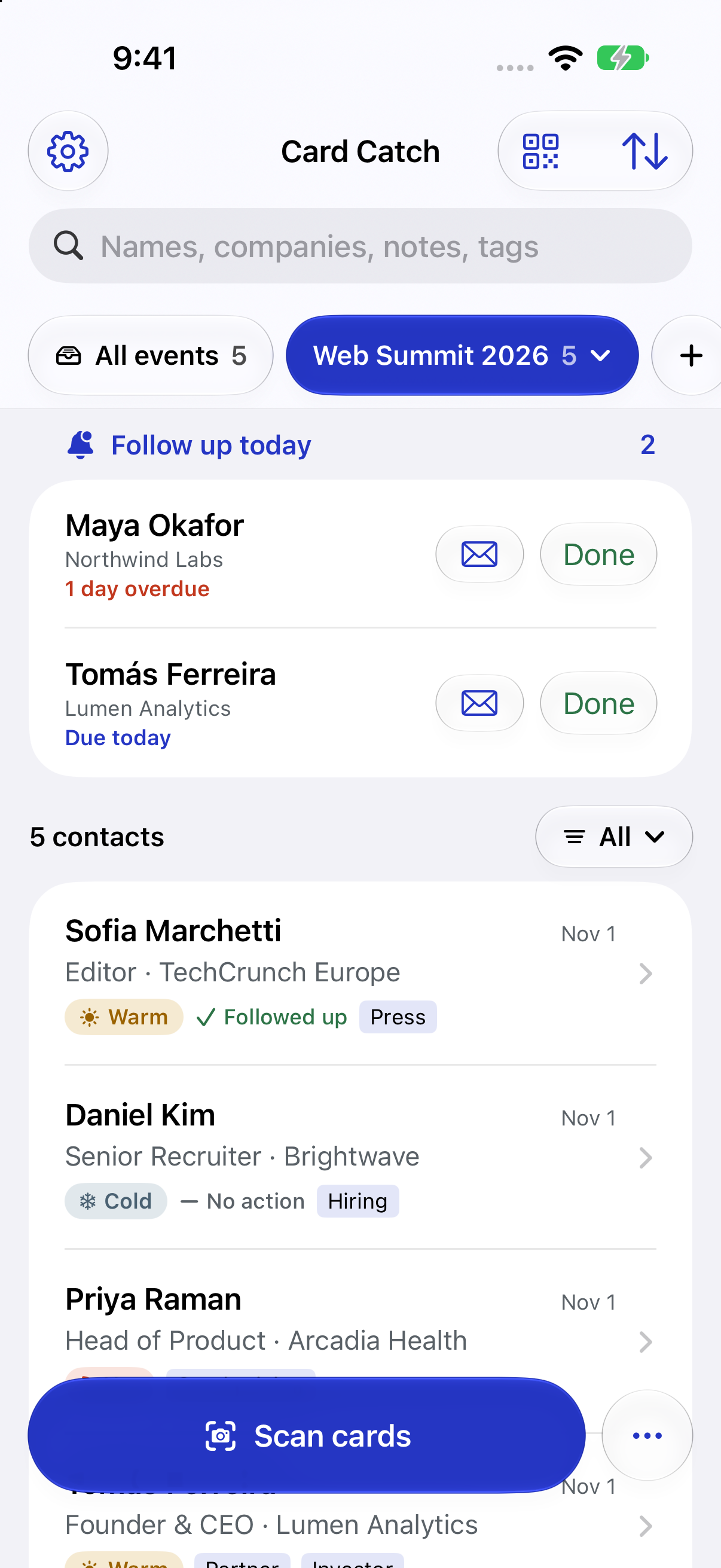
Actual simulator captures · Sample contacts
Paper cards + QR codes + Real conversations
One place to remember it all. ↗A SMALL HABIT. A BETTER FOLLOW-THROUGH.
Stay in the conversation, even after the event ends.
Scan paper cards, a whole stack, or a QR code. Check the details and keep the people behind them.
Add the event, a lead rating, and a few notes. Remember where you met and what made the conversation matter.
Set a reminder and draft a follow-up from your notes. Review it in Mail and send when you’re ready.
YOUR CONNECTIONS. YOUR BUSINESS.
Cards are read on your device. Your contacts and notes stay on your iPhone, with private iCloud storage when sync is enabled. No account. No ads. No tracking in the app.
Read our privacy policy ↗RIGHT AT HOME ON IPHONE
Keep today’s follow-ups close with a Home Screen widget.
Start scanning with Siri, Shortcuts, or the Action button.
Share your own card as a QR code they can scan.
BEFORE YOUR NEXT EVENT
Your first 10 scanned cards are free. Card Catch Pro adds unlimited scanning and CSV export with a monthly or yearly subscription. You can always add contacts by typing them in for free. Subscription prices will be available in the app at launch.
No. Card reading uses on-device text recognition on iPhones without Apple Intelligence. Supported devices can also use Apple Intelligence to help fill in card details, draft follow-ups, and summarize events.
Yes. Scan QR codes from digital business cards, badges, or someone’s phone. You can also photograph paper cards or choose card photos from your library.
No. Card Catch prepares a draft from your notes. You review it in Mail and decide when to send.
No Card Catch account is needed. Cards are read on your iPhone, and your saved information stays on your device, with private iCloud storage when sync is enabled.
Card Catch is coming soon to the App Store. There isn’t a public download link yet. For launch questions, email info@getcardcatch.com.
THE NEXT CONVERSATION STARTS HERE
Coming soon to the App Store.
Have a question before your next event? Get in touch.